
Download Marble – Free Virtual Globe, Atlas & Educational Tool
Overview
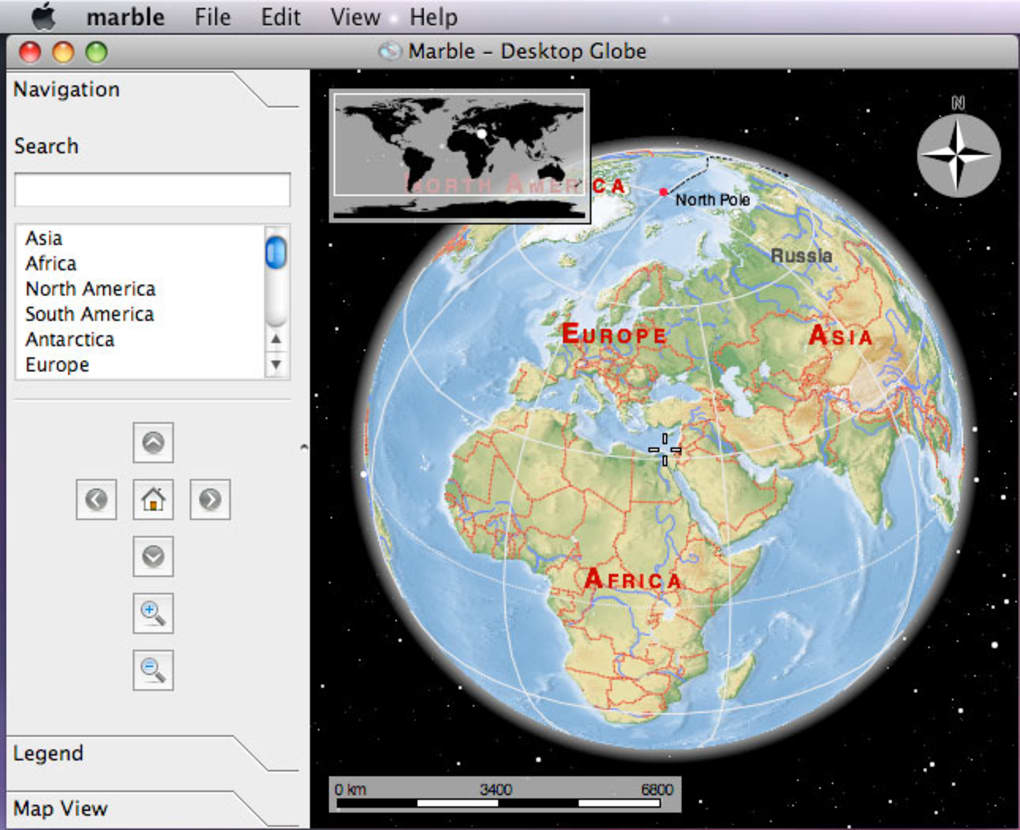
Marble is an open‑source virtual globe and world atlas that offers a fresh perspective on global exploration. While Google Earth dominates the mainstream market, Marble distinguishes itself by focusing on educational environments, classroom integration, and lightweight performance. The application lets users pan, zoom, and rotate a 3‑D representation of the planet, revealing landmarks, roads, and geographic features with a click‑through link to Wikipedia for deeper research.
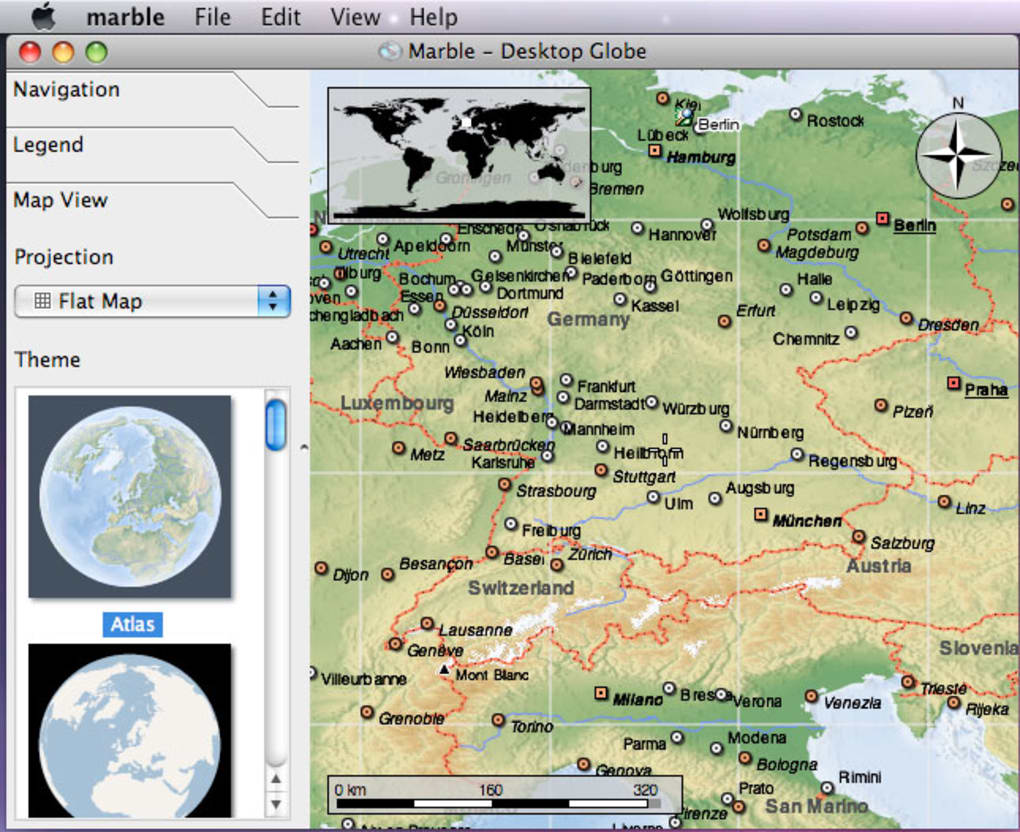
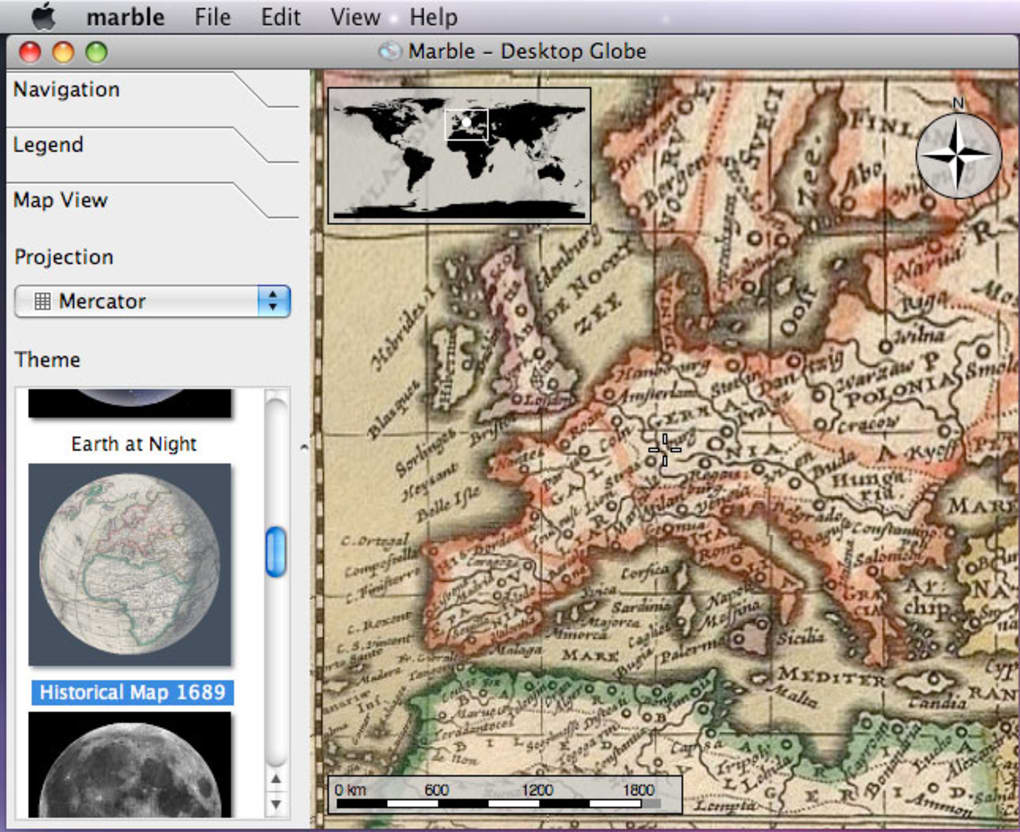
Whether you need to measure the distance between two cities, drop a custom marker, or retrieve precise latitude and longitude coordinates, Marble provides a straightforward set of tools that work across multiple platforms. A standout feature is the ability to overlay various map styles—including topographic, satellite, street, night‑time, and temperature maps—allowing learners to visualize data layers that complement a lesson plan or personal curiosity. Marble also includes a cloud‑cover visualiser, which can be useful for weather‑related projects.
Although the coverage is strongest in Western nations, the application’s modular design means contributors can continuously enrich under‑represented regions. As a completely free and secure download, Marble presents an ideal alternative for educators seeking a low‑overhead, privacy‑respecting globe‑tool that runs on Windows, macOS, Linux, Android, and iOS devices.
Key Features & Compatibility
- Interactive 3‑D globe with smooth pan, zoom, and rotation controls.
- Multiple map layers: topographic, satellite imagery, street maps, night‑time view, and temperature maps.
- Integrated Wikipedia links for instant access to detailed articles about landmarks and regions.
- Distance measurement tool for calculating straight‑line and route distances.
- Custom place markers and coordinate retrieval for precise geolocation work.
- Cloud‑cover overlay that shows real‑time atmospheric conditions.
- Offline map packages for use without an internet connection.
- Extensible plug‑in architecture allowing community contributions and new data layers.
- Educational‑friendly interface with simplified menus for younger users.
- Cross‑platform support ensures the same experience on desktop and mobile devices.
Marble runs on a wide range of operating systems, making it accessible to most users. Official binaries are available for Windows 10 and later, macOS 10.13 (High Sierra) and newer, most popular Linux distributions (Ubuntu, Fedora, Debian), as well as Android 5.0+ and iOS 11+. The application requires a minimum of 2 GB RAM and a graphics card supporting OpenGL 2.0, which means even modest laptops can handle the globe smoothly. Because Marble is built with the Qt framework, the user interface adapts natively to each platform, preserving familiar keyboard shortcuts and touch gestures on mobile devices. Whether you’re teaching a geography class in a Windows lab, planning a field trip on a macOS tablet, or exploring remote regions on an Android phone, Marble delivers consistent performance without the bloat of commercial alternatives.
Installation & Usage Instructions
Getting started with Marble is intentionally simple. First, visit the official project page
at marble.kde.org and choose the download link that matches
your operating system. Windows users click the “Download for Windows” button, which provides a
standard installer (.exe). macOS users download a .dmg file, drag the Marble icon into the
Applications folder, and launch the app. Linux users can install Marble directly from their
distribution’s package manager (e.g., sudo apt install marble on Ubuntu) or download
an AppImage for a universal binary. Android and iOS devices can obtain Marble from the Google
Play Store or Apple App Store by searching “Marble Virtual Globe.”
After installation, the first launch presents a brief welcome wizard that lets you select a default map layer and enable automatic updates. Once inside the main window, navigation is controlled by mouse or touch gestures: scroll wheel or pinch to zoom, click‑and‑drag (or swipe) to rotate the globe, and double‑click (or double‑tap) to focus on a location. The left‑hand toolbar houses the most frequently used tools: a search bar for place names, a ruler for measuring distances, a marker icon for dropping custom pins, and a layer selector for swapping between satellite, topographic, and other views.
To explore a landmark, simply type its name into the search field—Marble will fly to the location and display a pop‑up with a short description and a link to the full Wikipedia article. For classroom use, teachers can create a collection of markers ahead of time and share the resulting .kmz file with students, who can load it via the “Import/Export” menu. The measurement tool works by clicking two points on the globe; the distance appears in both kilometers and miles, with an optional option to display the great‑circle route. Finally, Marble supports offline maps: download regional map packs from the “Map Packages” manager, which are stored locally and can be accessed without an internet connection—perfect for field trips in areas with limited connectivity.
Pros, Cons & Frequently Asked Questions
Pros
- Completely free and open‑source, with no hidden fees or subscription model.
- Lightweight application that runs smoothly on older hardware.
- Rich educational features such as Wikipedia integration and multiple map layers.
- Cross‑platform availability ensures a consistent experience on desktop and mobile.
- Offline map support makes it ideal for remote field work.
Cons
- Geographic coverage is less comprehensive in the Southern Hemisphere and some developing regions.
- Satellite imagery is not as up‑to‑date as commercial services like Google Earth.
- Advanced 3‑D terrain visualisation is limited compared to high‑end GIS software.
- Some users report occasional UI scaling issues on high‑resolution displays.
Frequently Asked Questions
Is Marble completely free to use?
Yes, Marble is released under the GNU LGPL license, which means it is free to download, use, and modify without any cost.
Can I use Marble offline?
Absolutely. Marble allows you to download regional map packages that are stored locally, enabling full functionality without an internet connection.
Which operating systems are supported?
Marble runs on Windows 10+, macOS 10.13+, most Linux distributions, Android 5.0+, and iOS 11+. The application’s system requirements are modest, requiring at least 2 GB RAM and OpenGL 2.0 support.
How does Marble handle map updates?
When you first launch Marble, you can enable automatic updates. The program checks for new map packages and data revisions, then downloads them in the background, keeping your atlas reasonably current.
Is there a way to contribute new map data?
Yes. Marble’s open‑source nature encourages community contributions. You can submit new map layers, improve existing data, or create plug‑ins via the project’s GitHub repository.
Marble stands out as a secure, free alternative to commercial globe software. Its educational focus, offline capabilities, and multi‑platform support make it a valuable tool for teachers and students alike. While it lacks the exhaustive coverage of Google Earth, the ability to customize map layers and contribute to the project balances that limitation. Overall, Marble earns a solid four‑star rating for its usability, performance, and commitment to open‑source principles.
Conclusion & Call to Action
In a world where digital geography tools are often locked behind paywalls or heavy system requirements, Marble offers a refreshing, free, and secure alternative that aligns perfectly with classroom needs and personal curiosity. Its intuitive interface, diverse map layers, and offline functionality empower educators to create engaging lessons without worrying about licensing costs or privacy concerns. Although the global coverage is still expanding, the active community behind Marble ensures that the application will continue to grow and improve. If you’re looking for a lightweight, open‑source globe that runs on Windows, macOS, Linux, Android, or iOS, Marble is the answer. Download the latest version today, explore the world from your desk, and contribute to a project that values knowledge sharing above all else.
Click here to download Marble now and start your journey across continents, oceans, and the night sky—completely free and without ads.







